
Tag: Home Gadgets

  • Taming the Smart TV: How to Watch the Telly Without a Degree in Engineering

    Remote Control

    Cast your mind back a few decades. Watching the television used to be a beautifully simple affair. You had a substantial wooden box in the corner of the room, three or four channels if the aerial was behaving, and a single, clunky remote control with actual buttons that clicked when you pressed them. If the picture went fuzzy, you gave the top of the box a firm, therapeutic pat, and normal service was resumed.

    Fast forward to today, and turning on the telly has devolved into a multi-stage technical operation that requires the patience of a saint.

    You sit down to watch the evening news, and you are confronted by a minimum of three sleek, black plastic remotes sitting on the coffee table. One controls the box, one controls the soundbar, and one controls the television itself. Press the wrong button, and your screen instantly goes pitch black, displaying a mocking message that says: “No Signal. Please check HDMI 2.” Suddenly, you are trapped in a digital limbo, frantically pressing buttons in the dark just trying to find BBC One. Modern TVs aren’t “smart”—they are just terribly over-complicated. Here is how to reclaim control of your living room and tame the beast.

    The Great Smart TV Confusion

    The problem with modern televisions is that they aren’t really TVs anymore; they are basically giant computers hanging on the wall. They want to connect to your Wi-Fi, they want you to create accounts, and they try to force you through a maze of menus, apps, and streaming services before they will simply let you watch Flog It!.

    Worse still, modern remote controls have been designed by minimalists who think buttons are an eyesore. They have made the controls tiny, smooth, and impossible to read in a dimly lit room, with useless buttons for apps you’ve never heard of.

    You don’t have to accept this clutter. With a few low-tech adjustments, you can simplify the entire experience.

    Three Practical Ways to Simplify Your Telly

    1. The Masking Tape and Marker Hack

    If your remote control is plagued by tiny, useless buttons that you keep hitting by accident—instantly throwing you out of your programme—it is time for some tactical intervention.

    Take a small piece of white masking tape or a sticky label and place it directly over the buttons you never use (like “Rakuten TV” or “Smart Hub”). You can even use a black marker to draw a giant arrow pointing to the only two buttons you actually care about: Power and Volume. It might not look like a sleek designer gadget anymore, but it will save you a mountain of daily frustration.

    2. Learn the “Magic” Source Button

    The single biggest cause of the dreaded “No Signal” screen is accidentally changing the television’s input source. Your TV has several digital plugs on the back (called HDMI ports), and it needs to be looking at the right one to see your Freeview, Sky, or Virgin box.

    Find the button on your television remote that looks like a little square with an arrow pointing into it, or is labelled “Source” or “Input.” > The Golden Rule: If your screen goes blank, don’t panic. Don’t touch the box. Just tap that Source button slowly, pausing for three seconds between each press. It cycles through the inputs like turning the pages of a book, and within a few clicks, your standard picture will pop right back up.

    3. Write Down the “Route”

    Because modern TVs rely on apps like BBC iPlayer or ITVX, getting to your favourite programmes requires a specific sequence of clicks. Treat this like navigating a foreign city: write down a physical, step-by-step cheat sheet and keep it under the coaster on your coffee table.

    For example:

    1. Press the Home button (the one shaped like a little house).
    2. Press the Left Arrow twice to highlight ‘Apps’.
    3. Scroll down to the pink BBC iPlayer icon and press the middle ‘OK’ button.

    Having it written down in plain English removes the anxiety of guessing which menu to click next.

    The Bottom Line

    Technology companies want us to believe that everything has to be voice-activated, internet-connected, and completely automated. But a television is supposed to be a source of relaxation, not an evening stress test.

    Don’t let the black boxes intimidate you. By putting a bit of old-fashioned common sense to work—whether that means labeling your clickers or writing down your own manual—you can make the everyday tech in your home behave itself. After all, you bought the television to entertain you, not the other way around.

  • The Smart Plug Revolution: How to Turn Off the Kettle (and the Worry) from Your Armchair

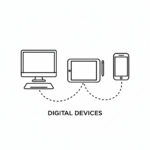
    Digital Devices

    If you listen to the tech companies, the modern “smart home” is a glorious wonderland where you walk into a room and shout orders at a little plastic cylinder in the corner. “Alexa, turn the lights purple!” or “Google, play the sounds of a rainforest!” Let’s be completely honest: most of it is utterly useless gimmickry designed to make us feel lazy or out of touch. If I want the kitchen light on, I am perfectly capable of walking three paces and flicking the switch with my finger, just as humanity has done for generations.

    But tucked away amidst all the high-tech nonsense is one cheap, unassuming little gadget that is a genuine game-changer. It doesn’t require you to talk to it, it doesn’t care about the rainforest, but it will instantly solve one of the most exhausting mental puzzles of modern life: The Midnight Worry.

    We have all been there. You have finally climbed into bed, found the perfect cold spot on the pillow, and just as your eyes drift shut, a horrible thought strikes: Did I actually turn off the electric blanket? Did I leave the iron plugged in? Is the heater still going downstairs?

    Suddenly, you are faced with a grueling choice. Do you ignore it and risk the house burning down, or do you groan, drag yourself out of bed, and freeze on a midnight trek downstairs just to find out everything was perfectly safe all along?

    This is where the humble Smart Plug becomes your new best friend.

    What on Earth is a Smart Plug?

    Think of a smart plug as a tiny, intelligent middleman. It looks exactly like one of those white plastic timers we used to use when going on holiday, and it plugs directly into your normal wall socket. You then plug your appliance—whether that’s a lamp, a kettle, or an iron—into the smart plug.

    Using your home Wi-Fi, this little plug connects to a simple, free app on your mobile phone or tablet.

    The magic part: Your phone becomes a remote control for that specific wall socket. No matter where you are in the house (or even the world), you can open the app, look at the screen, and see instantly whether that socket is turned on or off. If it’s on, you tap the screen once, and click—the power is cut.

    Three Brilliant Ways to Use Them

    You don’t need to turn your entire house into a spaceship. Just buying a pack of two or three smart plugs can completely transform your daily routine. Here are the best ways to deploy them:

    1. The Electric Blanket Peace of Mind

    This is the ultimate winter luxury. You can plug your electric blanket into a smart plug and set a schedule on your phone so it automatically turns on at 9 PM and shuts itself off safely at midnight. You never have to remember to turn it off, and you never have to climb into a freezing bed again.

    2. Sockets Hidden Behind the Sideboard

    We all have that one favorite reading lamp sitting in the corner, but the actual wall socket is buried deep behind a heavy oak sideboard or a massive armchair. Instead of throwing your back out or crawling on your knees every evening to reach the switch, a smart plug lets you turn it on from your phone while sitting comfortably with a cup of tea.

    3. The Dangerous Appliances (Irons and Hair Straighteners)

    If you are prone to driving halfway to the supermarkets before panicking about whether the iron is melting a hole through the ironing board, plug it into a smart plug. The next time the panic hits, you can pull over, check your phone screen, and visually confirm that the plug is completely dead.

    Are They Difficult to Set Up?

    If you can download an app on your phone, you can set up a smart plug. Brands like TP-Link Kasa or Tapó (which you can buy on Amazon or at Argos for under a tenner) walk you through the setup with simple, step-by-step pictures. You plug it in, type in your home Wi-Fi password once, name the plug something sensible like “Living Room Lamp,” and you are done.

    Even better? Your younger relatives will think you have suddenly become a cutting-edge technological wizard, when in reality, you’ve just bought yourself the right to be beautifully lazy.

    The Bottom Line

    True technology shouldn’t make your life more complicated or force you to learn a new language. It should simply remove the small anxieties of daily life.

    For the price of a fish and chip supper, a couple of smart plugs can banish the midnight worry, save your lower back from reaching behind furniture, and keep your home incredibly safe. It’s practical, it’s efficient, and it lets you stay exactly where you belong: resting comfortably in your favorite chair.

    💰 The Big Question: Do They Cost a Fortune to Run?

    Right about now, the sensible, budget-conscious voice in your head is probably asking a very fair question: “Hang on a minute. If this little gadget is constantly connected to my Wi-Fi waiting for me to press a button, isn’t it burning through electricity itself?”

    It is a brilliant question. No one wants to invite an electrical vampire into their skirting boards, especially with UK energy prices being what they are.

    Thankfully, the math is heavily in your favor. Independent testing shows that a modern smart plug sitting quietly on standby uses an absolute pittance of electricity—usually less than 1 Watt. Over the course of an entire year, leaving one plugged in 24/7 will add roughly 97p to your electricity bill.

    Now, compare that to the things it is turning off. A standard digital TV box or a games console left on standby can quietly drain up to £25 or £35 a year just sitting there doing nothing. By using a 97p smart plug to cut the power to those “vampire appliances” overnight, you aren’t spending money—you are actively clawing it back from the energy companies.