For millions of households across the UK, Sky is as much a part of the living room furniture as the settee itself. We rely on that little black box for our morning news, our weekend football, and our evening documentaries. Because the brand is so familiar, we naturally treat it with a degree of implicit trust. When we see a letter with that colourful Sky logo or hear a voice on the phone saying they are calling from “Sky Technical Support,” our guard instantly drops.
And that is precisely why criminal gangs love to wear the Sky mask.
They know that millions of older or tech-weary customers are absolutely terrified of losing their television signal or having their broadband cut off. By using a household name, they bypass your suspicion and play directly on your anxiety. Here is the straight-talking truth about how the Sky impostor scam works, and how to spot the fakes before they ruin your afternoon.
🎭 The Two Classic Sky Scripts
Scammers don’t just use one trick; they adapt their performance based on whether they are trying to steal your bank details over the internet or pull off a high-stakes heist over the telephone.
1. The “Broken Broadband Router” Telephone Trap
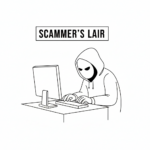
This is the most dangerous version of the con. The phone rings, and an engineered voice with a lot of office background noise says: “Hello, this is Sky Technical Support. We’ve detected a severe malicious virus on your broadband line which is leaking your personal files. If we don’t fix it right now, your internet will be terminated within the hour.”
Panic sets in. They walk you through opening your computer and instruct you to download a “free piece of security software” called AnyDesk or TeamViewer.
The Hidden Hook: These are not security programs. They are “remote access” tools. The moment you download them and read out the numbers on your screen, the scammer completely takes over your mouse pointer. While they pretend to be running a diagnostic test, they are actually quietly logging into your online banking app behind the scenes, draining your savings while you watch the cursor dance across your monitor.
2. The “Billing Issue” Digital Ambush
This trick arrives via email or a text message. It claims that your monthly subscription payment has failed, or that your Sky package is being upgraded to a new digital system and your current billing information is out of date.
It provides a link to a fake website that looks identical to the official Sky login page. To “verify your identity,” it demands your full name, date of birth, mother’s maiden name, and your credit card details.
🛑 How to Spot a Fake Sky Agent
To protect your hard-earned brass from these television thieves, you only need to remember three golden rules of Sky’s corporate behaviour:
- Sky Will Never Demand Remote Access: The real Sky will never call you out of the blue and ask you to download software that lets them control your computer or tablet. If an agent asks you to install an app to “fix a line fault,” hang up immediately.
- They Don’t Ask for Bank Passwords: A real customer service representative might ask you to confirm the last two digits of your bank account or your account number for security. They will never ask for your online banking PIN, your full password, or the 3-digit code on the back of your debit card.
- The Cold-Call Countdown: If a caller creates a massive sense of artificial urgency—claiming your service will be cut off today unless you act right now—it is a scam. Even if you genuinely owe Sky money, they will send multiple letters and emails over several weeks before they ever dream of switching off your television.
🛡️ How to Fight Back
If you receive a suspicious phone call from someone claiming to be from Sky, do not argue with them and do not waste your breath trying to catch them out. They are professional liars and they do this for a living.
Simply say: “I don’t discuss my account on incoming calls. I will ring you back on the official number.” Then, put the receiver down.
+-------------------------------------------------------------+
| 📞 THE SAFETY GAP RULE                                       |
| After hanging up on a suspected scammer, wait at least      |
| five minutes before making your next call. Clever crooks    |
| can "stay on the line," meaning when you pick up to dial,   |
| you are still connected straight back to the thief!         |
+-------------------------------------------------------------+
To be completely safe, take your mobile phone, or wait for your landline dial tone to return completely clear. Look at the top of a genuine Sky paper bill, or go directly to the official sky.com website to find their verified customer service number. Call them back through that secure channel. If there really is an issue with your box or your bill, the real team will tell you immediately. If not, you’ve just saved yourself from a massive financial headache.
The Bottom Line
Technology has made it remarkably easy for bad people to pretend to be big corporations, but they can only succeed if you let them rush you.
Your television and your broadband are appliances that work for you—you are the paying customer, and you hold all the cards. Never let a voice on the telephone bully you into downloading programs or handing over financial details. Take a breath, put the phone down, make a nice cup of tea, and handle it entirely on your own terms.
Our searchable WiseOldHeads library is packed with helpful advice, jargon-free consumer guides designed specifically to protect your cash and your peace of mind. Leverage our search bar below to stay one step ahead of the corporate giants.