
Author: walshjeremy21

  • The Smart Plug Revolution: How to Turn Off the Kettle (and the Worry) from Your Armchair

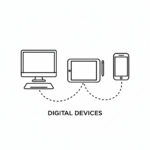
    Digital Devices

    If you listen to the tech companies, the modern “smart home” is a glorious wonderland where you walk into a room and shout orders at a little plastic cylinder in the corner. “Alexa, turn the lights purple!” or “Google, play the sounds of a rainforest!” Let’s be completely honest: most of it is utterly useless gimmickry designed to make us feel lazy or out of touch. If I want the kitchen light on, I am perfectly capable of walking three paces and flicking the switch with my finger, just as humanity has done for generations.

    But tucked away amidst all the high-tech nonsense is one cheap, unassuming little gadget that is a genuine game-changer. It doesn’t require you to talk to it, it doesn’t care about the rainforest, but it will instantly solve one of the most exhausting mental puzzles of modern life: The Midnight Worry.

    We have all been there. You have finally climbed into bed, found the perfect cold spot on the pillow, and just as your eyes drift shut, a horrible thought strikes: Did I actually turn off the electric blanket? Did I leave the iron plugged in? Is the heater still going downstairs?

    Suddenly, you are faced with a grueling choice. Do you ignore it and risk the house burning down, or do you groan, drag yourself out of bed, and freeze on a midnight trek downstairs just to find out everything was perfectly safe all along?

    This is where the humble Smart Plug becomes your new best friend.

    What on Earth is a Smart Plug?

    Think of a smart plug as a tiny, intelligent middleman. It looks exactly like one of those white plastic timers we used to use when going on holiday, and it plugs directly into your normal wall socket. You then plug your appliance—whether that’s a lamp, a kettle, or an iron—into the smart plug.

    Using your home Wi-Fi, this little plug connects to a simple, free app on your mobile phone or tablet.

    The magic part: Your phone becomes a remote control for that specific wall socket. No matter where you are in the house (or even the world), you can open the app, look at the screen, and see instantly whether that socket is turned on or off. If it’s on, you tap the screen once, and click—the power is cut.

    Three Brilliant Ways to Use Them

    You don’t need to turn your entire house into a spaceship. Just buying a pack of two or three smart plugs can completely transform your daily routine. Here are the best ways to deploy them:

    1. The Electric Blanket Peace of Mind

    This is the ultimate winter luxury. You can plug your electric blanket into a smart plug and set a schedule on your phone so it automatically turns on at 9 PM and shuts itself off safely at midnight. You never have to remember to turn it off, and you never have to climb into a freezing bed again.

    2. Sockets Hidden Behind the Sideboard

    We all have that one favorite reading lamp sitting in the corner, but the actual wall socket is buried deep behind a heavy oak sideboard or a massive armchair. Instead of throwing your back out or crawling on your knees every evening to reach the switch, a smart plug lets you turn it on from your phone while sitting comfortably with a cup of tea.

    3. The Dangerous Appliances (Irons and Hair Straighteners)

    If you are prone to driving halfway to the supermarkets before panicking about whether the iron is melting a hole through the ironing board, plug it into a smart plug. The next time the panic hits, you can pull over, check your phone screen, and visually confirm that the plug is completely dead.

    Are They Difficult to Set Up?

    If you can download an app on your phone, you can set up a smart plug. Brands like TP-Link Kasa or Tapó (which you can buy on Amazon or at Argos for under a tenner) walk you through the setup with simple, step-by-step pictures. You plug it in, type in your home Wi-Fi password once, name the plug something sensible like “Living Room Lamp,” and you are done.

    Even better? Your younger relatives will think you have suddenly become a cutting-edge technological wizard, when in reality, you’ve just bought yourself the right to be beautifully lazy.

    The Bottom Line

    True technology shouldn’t make your life more complicated or force you to learn a new language. It should simply remove the small anxieties of daily life.

    For the price of a fish and chip supper, a couple of smart plugs can banish the midnight worry, save your lower back from reaching behind furniture, and keep your home incredibly safe. It’s practical, it’s efficient, and it lets you stay exactly where you belong: resting comfortably in your favorite chair.

    💰 The Big Question: Do They Cost a Fortune to Run?

    Right about now, the sensible, budget-conscious voice in your head is probably asking a very fair question: “Hang on a minute. If this little gadget is constantly connected to my Wi-Fi waiting for me to press a button, isn’t it burning through electricity itself?”

    It is a brilliant question. No one wants to invite an electrical vampire into their skirting boards, especially with UK energy prices being what they are.

    Thankfully, the math is heavily in your favor. Independent testing shows that a modern smart plug sitting quietly on standby uses an absolute pittance of electricity—usually less than 1 Watt. Over the course of an entire year, leaving one plugged in 24/7 will add roughly 97p to your electricity bill.

    Now, compare that to the things it is turning off. A standard digital TV box or a games console left on standby can quietly drain up to £25 or £35 a year just sitting there doing nothing. By using a 97p smart plug to cut the power to those “vampire appliances” overnight, you aren’t spending money—you are actively clawing it back from the energy companies.

    Our searchable WiseOldHeads library is packed with helpful advice, jargon-free consumer guides designed specifically to protect your cash and your peace of mind. Leverage our search bar below to stay one step ahead of the corporate giants.


  • The “Hi Mum” Text Scam: How to Spot a Digital Pickpocket

    ScammerLiar at a desk

    There is a universal law of nature that applies to all children and grandchildren: they are absolutely brilliant at losing things. Keys, coats, umbrellas, boundaries—they will misplace all of them.

    So, when a text message pops up on your mobile phone out of the blue saying, “Hi Mum, I’ve dropped my phone down the loo and it’s completely broken. I’m texting you from a friend’s mobile,” your brain doesn’t immediately think “Scam.” Your brain thinks, “Yes, that sounds exactly like something they would do.”

    It is a text message that preys entirely on our instinct to protect our family. But behind that innocent-sounding message isn’t a clumsy relative—it is a digital pickpocket sitting in a dark room, waiting to empty your bank account.

    The “Hi Mum” or “Hi Dad” scam is one of the most common frauds in the UK today. Fortunately, it is also incredibly easy to defeat once you know the dead giveaways.

    How the Trap Snaps Shut

    The scammer starts with that simple message about a broken phone to explain why they are texting you from an completely unrecognized number.

    If you reply with something loving like, “Oh no, darling! Are you okay?” the trap is set. They now know they have an empathetic, trusting person on the line.

    Over the next few messages, they will spin a stressful yarn. They will tell you they are trying to set up their new phone, but their online banking has been locked out. Then comes the sucker punch: “I have an urgent bill that needs paying today, but I can’t access my app. Could you pay it for me? I’ll transfer the money back to you tomorrow morning, I promise.”

    Because you think you are helping your own flesh and blood out of a tight spot, your guard drops, the money is sent, and the fraudster vanishes into thin air.

    🔎 The Three Dead Giveaways

    Fraudsters are clever, but they are also incredibly lazy. If you look closely at these text conversations, they almost always drop three massive clues:

    1. The Sudden Lack of Personality

    Scammers send these messages out to thousands of people at once using automated software. Because of this, the messages have to be completely generic. They won’t use your name, and they won’t use the specific nickname your child usually calls you. If your son has called you “Ma” for thirty years, and suddenly sends a text saying “Hi Mother,” your alarm bells should be ringing.

    2. Extreme Urgency

    The bill is always due in the next twenty minutes. The car mechanic is always threatening to lock the car away. Scammers use artificial panic to stop you from pausing and thinking rationally.

    3. The Text-Only Rule

    If you ask to ring them on this “new number” to check they are okay, they will always have an excuse. “My microphone is broken,” or “I’m in a quiet office and can’t talk.”

    🛡️ The Golden Rule: The “Circuit Breaker”

    If you ever receive a message like this, you don’t need to panic, and you don’t need to feel old or out of touch. You just need to employ a simple “circuit breaker” to ruin the scammer’s day.

    The Golden Rule: Never, under any circumstances, send money to a “new number” until you have spoken to that relative on their old, original phone number or heard their actual voice.

    Even if they claim their old phone is dead or at the bottom of a toilet, pick up your phone and dial their regular number anyway. Nine times out of ten, your actual child will answer the phone sitting comfortably on their sofa, completely oblivious to the drama, and confirms they haven’t lost a thing.

    Alternatively, ask a security question that only your real relative would know. Ask something like, “Oh dear! Did you lose the green handbag I gave you for Christmas?” (Even better if you’ve never bought them a handbag in your life). If it’s a scammer, they will guess and say “Yes, unfortunately!”—and you can happily block the number knowing you’ve won the round.

    The Bottom Line

    Technology has changed, but human nature hasn’t. Scammers aren’t using complex wizardry to hack into your computer; they are just using old-fashioned trickery to play on your kindness.

    By keeping your wits about you, ignoring the artificial panic, and insisting on hearing a real human voice before you touch your bank card, you can keep your money exactly where it belongs: safely in your own pocket.

    Our searchable WiseOldHeads library is packed with helpful advice, jargon-free consumer guides designed specifically to protect your cash and your peace of mind. Leverage our search bar below to stay one step ahead of the corporate giants.

  • Beyond Sudoku: The Real Secret to Keeping Your Brain Razor-Sharp After 50

    We’ve all been there. You walk into the kitchen with absolute determination, stop dead in front of the kettle, and realize you have absolutely no idea why you’re there.

    If there’s a younger person in the room—usually a grandchild or a tech-savvy thirty-something—they will give you that look. You know the one. It’s the slightly panicked expression that says they’re quietly wondering if it’s time to change the locks or check you into a home.

    Heaven forbid you accidentally put the television remote in the fridge just once, because you will never hear the end of it.

    But here is the honest truth: mild forgetfulness isn’t a sign that your marbles are rolling away. It’s usually just a sign of a busy life. However, if you want to keep your wits sharp enough to outsmart the younger generation well into your eighties, you can skip the expensive smartphone apps. The real science of brain health is far more practical, a bit old-school, and surprisingly entertaining.

    The Smartphone App Trap

    If you mention memory to a younger person, they will immediately tell you to download a “brain training” game on your phone or tablet. There is a multi-million-pound industry built on the promise that playing colorful digital puzzles for twenty minutes a day will keep your mind young.

    It sounds wonderful, but it’s a bit of a scam.

    What the science actually says: Independent clinical studies have shown that digital brain games don’t improve your overall mental fitness. They simply make you very good at playing that specific digital game.

    Doing a digital crossword puzzle every morning doesn’t help you remember where you left your spectacles or make it easier to navigate your online banking. Your brain simply memorizes the digital pattern, shifts into autopilot, and goes to sleep. To actually protect your memory, your brain needs something completely different: novelty.

    Rewiring the Mental Plumbing (Neuroplasticity)

    For decades, scientists believed that the human brain was like a concrete block—fully formed in youth and slowly crumbling as we aged. We now know that is completely wrong.

    Your brain has a magical ability called neuroplasticity. This is just a fancy word meaning your brain can physically grow brand-new pathways and rewire its internal plumbing at 60, 70, or 90 years old. But it will only do this if you force it to try something genuinely unfamiliar.

    If you want to spark real brain growth, you need to challenge it with real-world skills. Here are three highly effective, low-cost ways to do it:

    • Pick up a “silly” instrument: Buy a cheap ukulele or a basic electronic keyboard. Learning how to coordinate your fingers to make a new sound forces your brain’s left and right hemispheres to build a bridge that wasn’t there before.
    • The “Wrong Hand” Challenge: Try brushing your teeth, eating your morning cereal, or unlocking your front door using your non-dominant hand. It feels incredibly clumsy and you will look a bit ridiculous, but that exact mental struggle is the feeling of new neural connections firing up.
    • Take up a tactile craft: Watercolor painting, sketching, or even basic woodwork requires spatial awareness and fine motor skills that digital screens simply cannot replicate.

    The Brain’s Nightly Wash Cycle

    We often think of sleep as a passive block of time where our body shuts down. In reality, your brain uses the night to do some serious housekeeping.

    Scientists recently discovered that when we enter deep sleep, the brain triggers a literal “nightly wash cycle.” A clear fluid sweeps through the tissue, physically flushing out cellular waste and toxic proteins that build up during the day. This waste buildup is the exact material linked to long-term memory decline.

    If you want to keep the mental engine clean, protect your sleep. The easiest way to do this is to introduce a strict screen curfew. Turn off televisions, tablets, and mobile phones at least one hour before bed. The artificial blue light from these devices tricks your brain into thinking it’s midday, ruining your deep sleep cycles.

    Try the “Awe Walk”

    Finally, one of the easiest ways to protect your cognitive health is to change how you walk. Most of us go for a stroll for physical exercise, but our minds are usually trapped in a loop of worrying about the news, the bills, or family stress. Chronic stress releases a hormone called cortisol, which physically shrinks the memory center of your brain.

    To combat this, cognitive scientists recommend the “Awe Walk.” Go for a walk in your local area, but consciously force yourself to look at everything through the eyes of a child. Look closely at the architecture of a chimney on a local building. Notice the intricate pattern on a leaf. Watch how the reflection hits a puddle.

    Shifting your attention to the small, wondrous details of the world instantly flips your nervous system out of stress mode, clearing the mental fog and lowering your blood pressure.

    The Bottom Line

    Your brain isn’t a battery that slowly runs out of juice. It is an adaptable, living muscle. You don’t need to spend hours staring at a tablet screen or playing repetitive digital games to keep it healthy.

    By stepping away from the apps, embracing the awkwardness of learning a new hobby, guarding your sleep, and taking a mindful walk, you keep the internal gears spinning beautifully.

    And the next time a younger relative looks at you like you’ve lost the plot? You can smile cleanly, knowing your brain is busy building new pathways while theirs is glued to a phone screen.

    Our searchable WiseOldHeads library is packed with helpful advice, jargon-free consumer guides designed specifically to protect your cash and your peace of mind. Leverage our search bar below to stay one step ahead of the corporate giants.

  • Never Click “Forgot Password” Again: The Magic of Digital Password Managers

    We have all been there. You need to log in to your online banking, utility provider, or favorite retail store, only to be met with the dreaded message: Incorrect Password. You pause, try two or three variations of your childhood pet’s name combined with a birth year, and get locked out anyway. Frustrated, you hit the “Forgot Password” button, wait for the reset email, and repeat the entire stressful loop a few weeks later.

    The modern internet demands that we remember dozens of different passwords. To cope, most of us break the number one rule of cybersecurity: we reuse the same simple password across multiple websites.

    If you want to permanently end password frustration while locking down your digital security, it is time to meet your new best friend: the digital password manager. Tools like Bitwarden and RoboForm act as an encrypted, secure vault that manages the chaos for you. Here is how they work and why they are an absolute game-changer.

    1. You Only Ever Have to Remember One Password

    A password manager is essentially a highly secure digital safe that installs right onto your computer, phone, or web browser. It stores all your usernames and passwords behind a single lock.

    Instead of memorizing fifty different combinations, you only need to remember one strong “Master Password” to unlock the vault. The moment you unlock it, the software handles the rest.

    2. One-Click Autofill Saves Your Time

    Once your accounts are saved in your vault, you will never have to type a password again. When you visit a website—say, your online grocery account—the password manager automatically recognizes where you are.

    With a single tap or click, it securely populates your username and password into the blanks and logs you in instantly. It turns a frustrating multi-step chore into a seamless, one-second task.

    3. It Automatically Generates Unhackable Passwords

    When you create a new account online, or update an old one, a password manager removes the guesswork. With a single click, it can generate a completely random, military-grade password for you (something like $k9!mP2#zX9q).

    Because the app is memorizing it for you, it doesn’t matter that the password looks like random gibberical code. It is entirely unhackable by automated cyber-scams, keeping your financial and personal data safe.

    4. Built-In Protection Against Fake Scam Websites

    This is a brilliant hidden safety feature that many people don’t know about. Cybercriminals are experts at creating fake websites that look exactly like your bank or Netflix login screen to trick you into entering your details (a tactic known as phishing).

    Human eyes are easily fooled by these lookalikes, but a password manager cannot be tricked. It matches your stored passwords to the exact web address. If you accidentally click a scam link and land on a fake banking page, your password manager will refuse to autofill your details because it detects that the domain name is wrong. It acts as an automated safety net against fraud.

    Which One Should You Choose?

    While there are many options on the market, we lean toward two highly respected, reliable providers:

    • Bitwarden: Renowned for its world-class security, it is completely open-source (meaning independent experts constantly audit it for bugs) and offers an incredibly generous, fully functional free version that works seamlessly across all your devices.
    • RoboForm: One of the longest-running and most user-friendly password managers on the planet. It is particularly brilliant at handling complex online forms, making it a fantastic choice if you want something straightforward and easy to navigate.

    Take Control of Your Digital Security

    Moving your passwords into a digital manager takes a tiny bit of getting used to, but once you experience the freedom of never resetting a password again, you will wonder how you ever lived without it.

    👉 [To find the official setup links and read more about our favorite digital safety tools, step inside The Tool Shed.]

    Our searchable WiseOldHeads library is packed with helpful advice, jargon-free consumer guides designed specifically to protect your cash and your peace of mind. Leverage our search bar below to stay one step ahead of the corporate giants.