
We have all been there. You need to log in to your online banking, utility provider, or favorite retail store, only to be met with the dreaded message: Incorrect Password. You pause, try two or three variations of your childhood pet’s name combined with a birth year, and get locked out anyway. Frustrated, you hit the “Forgot Password” button, wait for the reset email, and repeat the entire stressful loop a few weeks later.
The modern internet demands that we remember dozens of different passwords. To cope, most of us break the number one rule of cybersecurity: we reuse the same simple password across multiple websites.
If you want to permanently end password frustration while locking down your digital security, it is time to meet your new best friend: the digital password manager. Tools like Bitwarden and RoboForm act as an encrypted, secure vault that manages the chaos for you. Here is how they work and why they are an absolute game-changer.
1. You Only Ever Have to Remember One Password
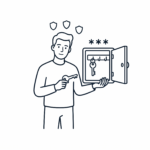
A password manager is essentially a highly secure digital safe that installs right onto your computer, phone, or web browser. It stores all your usernames and passwords behind a single lock.
Instead of memorizing fifty different combinations, you only need to remember one strong “Master Password” to unlock the vault. The moment you unlock it, the software handles the rest.
2. One-Click Autofill Saves Your Time
Once your accounts are saved in your vault, you will never have to type a password again. When you visit a website—say, your online grocery account—the password manager automatically recognizes where you are.
With a single tap or click, it securely populates your username and password into the blanks and logs you in instantly. It turns a frustrating multi-step chore into a seamless, one-second task.
3. It Automatically Generates Unhackable Passwords
When you create a new account online, or update an old one, a password manager removes the guesswork. With a single click, it can generate a completely random, military-grade password for you (something like $k9!mP2#zX9q).
Because the app is memorizing it for you, it doesn’t matter that the password looks like random gibberical code. It is entirely unhackable by automated cyber-scams, keeping your financial and personal data safe.
4. Built-In Protection Against Fake Scam Websites
This is a brilliant hidden safety feature that many people don’t know about. Cybercriminals are experts at creating fake websites that look exactly like your bank or Netflix login screen to trick you into entering your details (a tactic known as phishing).
Human eyes are easily fooled by these lookalikes, but a password manager cannot be tricked. It matches your stored passwords to the exact web address. If you accidentally click a scam link and land on a fake banking page, your password manager will refuse to autofill your details because it detects that the domain name is wrong. It acts as an automated safety net against fraud.
Which One Should You Choose?
While there are many options on the market, we lean toward two highly respected, reliable providers:
- Bitwarden: Renowned for its world-class security, it is completely open-source (meaning independent experts constantly audit it for bugs) and offers an incredibly generous, fully functional free version that works seamlessly across all your devices.
- RoboForm: One of the longest-running and most user-friendly password managers on the planet. It is particularly brilliant at handling complex online forms, making it a fantastic choice if you want something straightforward and easy to navigate.
Take Control of Your Digital Security
Moving your passwords into a digital manager takes a tiny bit of getting used to, but once you experience the freedom of never resetting a password again, you will wonder how you ever lived without it.
👉 [To find the official setup links and read more about our favorite digital safety tools, step inside The Tool Shed.]
Our searchable WiseOldHeads library is packed with helpful advice, jargon-free consumer guides designed specifically to protect your cash and your peace of mind. Leverage our search bar below to stay one step ahead of the corporate giants.


Leave a Reply